 Agendario
Your personalized 2027 planner, ready to print.
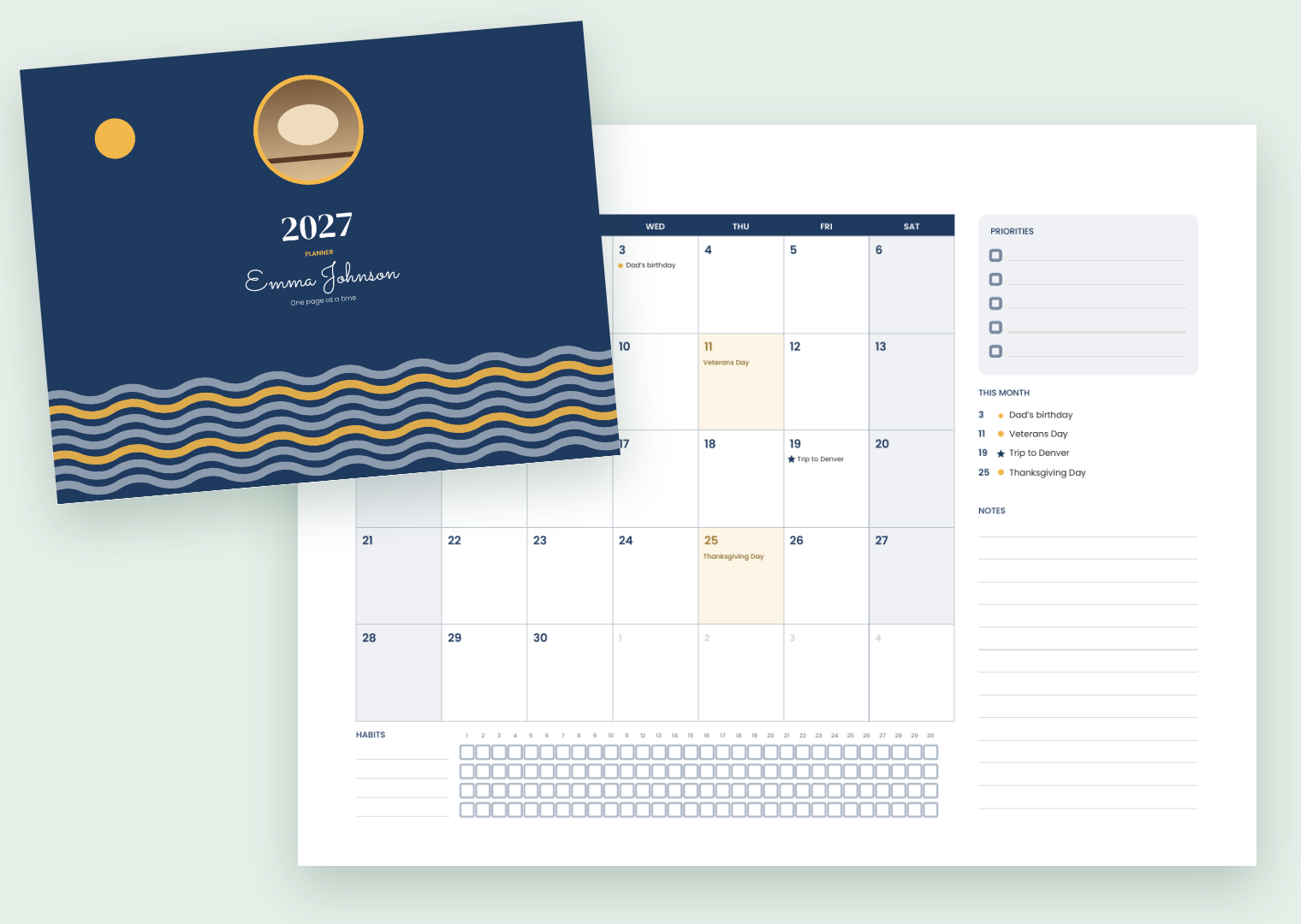
With your name and photo on the cover, your country’s public holidays and your family’s birthdays on the right days.
Pick a design, add your dates and download the A5 PDF for a copy shop, or the linked version for your tablet. Works on your phone, no account, and your details stay on your phone.
How it works
- ✏️
1. Make it yours
Your name, a phrase, your photo, one of six cover designs and the color you like.
- 📅
2. Add your dates
Pick your country and the 2027 public holidays fill in by themselves. Add birthdays, anniversaries and key dates.
- 🖨️
3. Print it or use it on a tablet
A5 PDF with room for spiral binding, A4 with 2 pages per sheet, or a tabbed PDF for GoodNotes and other apps.
What’s inside
- 🗓️
Year, months and weeks
Year at a glance, every month on a two-page spread with a month plan and habit tracker, and weeks on 2 pages or 1.
- 🇺🇸
Your country’s holidays
2027 national public holidays for the United States, Mexico, Costa Rica, Colombia, Argentina, Chile, Peru, Spain, Brazil and Portugal, checked against official sources.
- 🎂
Your dates
Birthdays, anniversaries and other dates show up in the right month and week.
- 🍎
Teacher mode
School year from February or March, class schedule, student list and monthly attendance pages.
- 📲
Tablet version
Tabs and links to every month and week, for writing with a stylus.
- 🔒
Private
Your name, dates and photo stay on your phone. The PDF is made right there; nothing is uploaded.
Start the year organized
- Monday or Sunday as the first day of the week, starting in any month you like.
- Great for back to school: there’s a teacher version.
- A thoughtful Christmas gift: with the name and photo of the person who’ll use it.
Price
Building the planner and downloading the complete sample (with a “SAMPLE” mark) is free. The planner without the watermark will be a one-time payment of US$6.99, not a subscription: every format and as many downloads as you like on your device.
No watermark: coming soon
Make my plannerQuestions
How do I print it at a copy shop?
Take the “Print A5” PDF and ask for “A5, double-sided, spiral or wire-o binding”. The inner margin is wider to leave room for the holes. The cover looks best on card stock.
Can I print it at home?
Yes. Choose “A4, 2 per sheet”, print double-sided flipping on the short edge, cut the sheets in half, stack them and bind.
Does it work on a tablet?
Yes. The “Tablet” version has tabs for every month and links from each day to its week. It opens in GoodNotes, Notability, Xodo, Samsung Notes and other PDF apps.
Which holidays are included?
2027 national public holidays for the United States, Mexico, Costa Rica, Colombia, Argentina, Chile, Peru, Spain, Brazil and Portugal. We checked them against official sources; US “observed” days are shown in grey. State and local holidays are not included.
Do I need an account?
No. It opens in your phone’s or computer’s browser and that’s it.
Is my photo uploaded?
No. The photo is shrunk and stays on your phone; the PDF is made right there.